

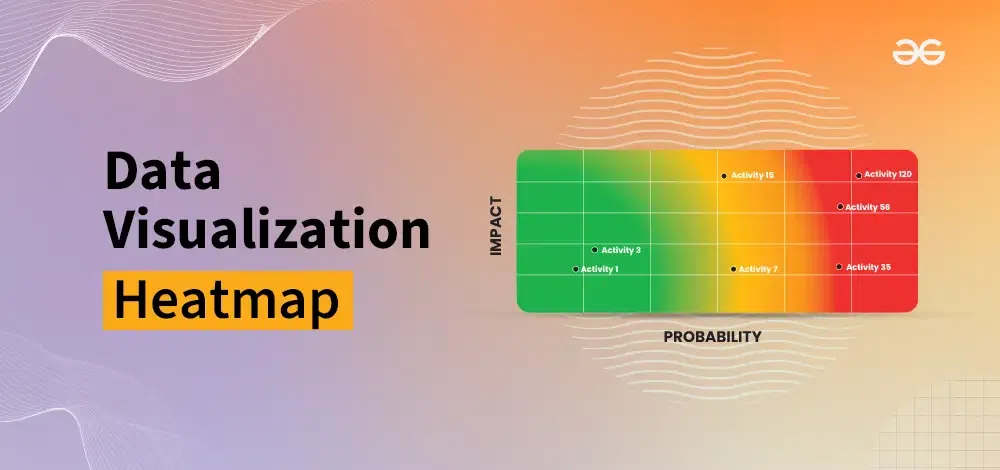
Data visualisation is most useful when it reduces complexity without hiding meaning. Two techniques do this especially well: treemaps and heatmaps. Treemaps translate hierarchical structures into nested rectangles, making “part-to-whole” relationships easy to compare. Heatmaps use colour intensity to show density or magnitude across a grid, helping people spot patterns, clusters, and outliers quickly. These visuals are widely used in business dashboards, product analytics, operations monitoring, and research reporting, often when tables are too slow to interpret.
If you are learning through data analysis courses in Hyderabad, treemaps and heatmaps are practical skills because they force you to think carefully about data structure, scale, and colour semantics. When built well, they can reveal insights in seconds; when built poorly, they can mislead just as fast. This article explains what each chart is best for, how to construct it correctly, and how to avoid common design mistakes.
Treemaps: Turning Hierarchies into Comparable Areas
What a treemap is good at
A treemap is designed for hierarchical data: categories, subcategories, and sometimes deeper levels. The chart fills the available space with rectangles. Each rectangle’s area represents a numeric value (such as revenue, count, or cost). Nested rectangles represent “children” within a “parent” category.
Typical use cases include:
- Sales by product line → brand → SKU
- Website traffic by channel → campaign → landing page
- IT spend by department → application → cost centre
- Support tickets by theme → sub-issue → root cause
How to construct a treemap correctly
- Confirm the hierarchy levels: Decide what the “parent” and “child” levels are, and keep them consistent.
- Choose a single primary measure for area: For example, “total revenue” or “number of incidents”. Do not mix measures across levels.
- Use colour to encode a second variable (optional): Colour can represent margin, growth rate, severity, or SLA breach rate.
- Sort and label thoughtfully: Show the biggest rectangles first. Use clear labels for the highest levels and tooltips for detail.
A practical tip from data analysis courses in Hyderabad is to test whether the insight survives aggregation. If a category looks dominant, confirm it still matters after filtering by region, time window, or customer segment. Treemaps can hide variation inside big boxes, so filtering and drill-down matter.
Heatmaps: Encoding Magnitude and Density with Colour
What a heatmap is good at
Heatmaps shine when your data naturally fits a matrix: two dimensions forming a grid, with a measure for each cell. The colour scale represents the value in that cell. This makes heatmaps excellent for finding:
- Peak hours and weekdays (traffic, orders, support volume)
- Conversion rate by channel vs device
- Correlation matrices in feature engineering
- Quality checks (missing values by variable and date)
- Geographic density when combined with a map layout (a related but distinct type)
How to construct a heatmap correctly
- Decide what the axes represent: Examples include time vs category, or region vs product.
- Choose the measure carefully: Counts, averages, rates, and proportions behave differently. Rates often need more explanation than counts.
- Normalise when appropriate: If some rows have far larger totals, consider per-row or per-column normalisation so patterns are visible.
- Pick a colour scale that matches meaning: Sequential scales suit “low to high” values. Diverging scales suit values around a midpoint (like “below vs above target”).
In data analysis courses in Hyderabad, learners often build a simple “day-of-week vs hour-of-day” heatmap for call volumes. It is a strong example because it shows staffing needs immediately, provided you use consistent time zones and avoid mixing weekdays from different holiday periods.
Design Rules That Prevent Misinterpretation
Even when the data is correct, visual design can distort interpretation. These rules keep treemaps and heatmaps honest:
- Avoid overly saturated colours: Strong colours can exaggerate small differences.
- Explain the colour legend clearly: Users must know what “dark” means and what the units are.
- Use sensible binning and rounding: If a heatmap shows decimals with too much precision, it encourages false certainty.
- Watch for skewed distributions: One extreme value can flatten everything else. Consider log scales or clipped scales, but disclose it clearly.
- Limit the number of categories: A treemap with too many tiny rectangles becomes unreadable. Group long tails into “Other” when needed.
A Practical Workflow for Building Both Charts
A reliable workflow improves quality more than any tool choice (Tableau, Power BI, Excel add-ins, Python, or JavaScript libraries).
- Start with data checks: Missing values, duplicates, and inconsistent category labels cause misleading shapes and colours.
- Clarify the question: “Which categories drive 80% of revenue?” fits a treemap. “When do incidents spike?” fits a heatmap.
- Prototype quickly: Build the chart with default settings, then refine labels, sorting, and colour scale.
- Validate with drill-down: Click into the largest treemap block or the darkest heatmap cell and confirm it reflects real data.
- Add context in tooltips: Show the raw number, the rate, and the sample size. Small sample sizes can create deceptive hotspots.
Conclusion
Treemaps and heatmaps are efficient ways to compress complex information into a form that people can act on. Treemaps are best when hierarchy and part-to-whole comparisons matter; heatmaps are best when patterns across two dimensions matter. The key is to match the chart to the question, use one clear measure per encoding channel (area or colour), and design legends and labels so the viewer cannot misread the result. With careful construction and validation, these visuals become dependable tools, not just attractive charts, whether you are building dashboards at work or practising through data analysis courses in Hyderabad.
 Admin
Admin